Free Chrome extension
Google Maps Extractor: every business in your search, as a CSV
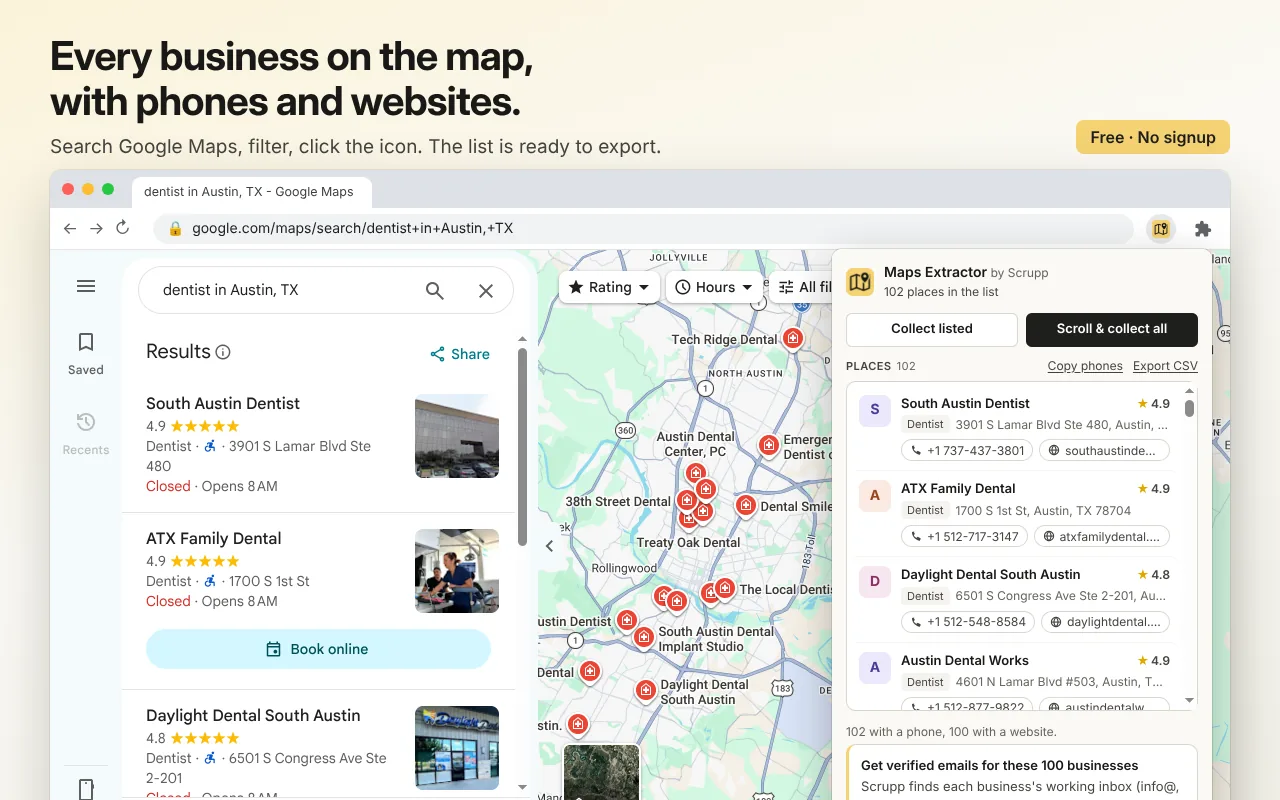
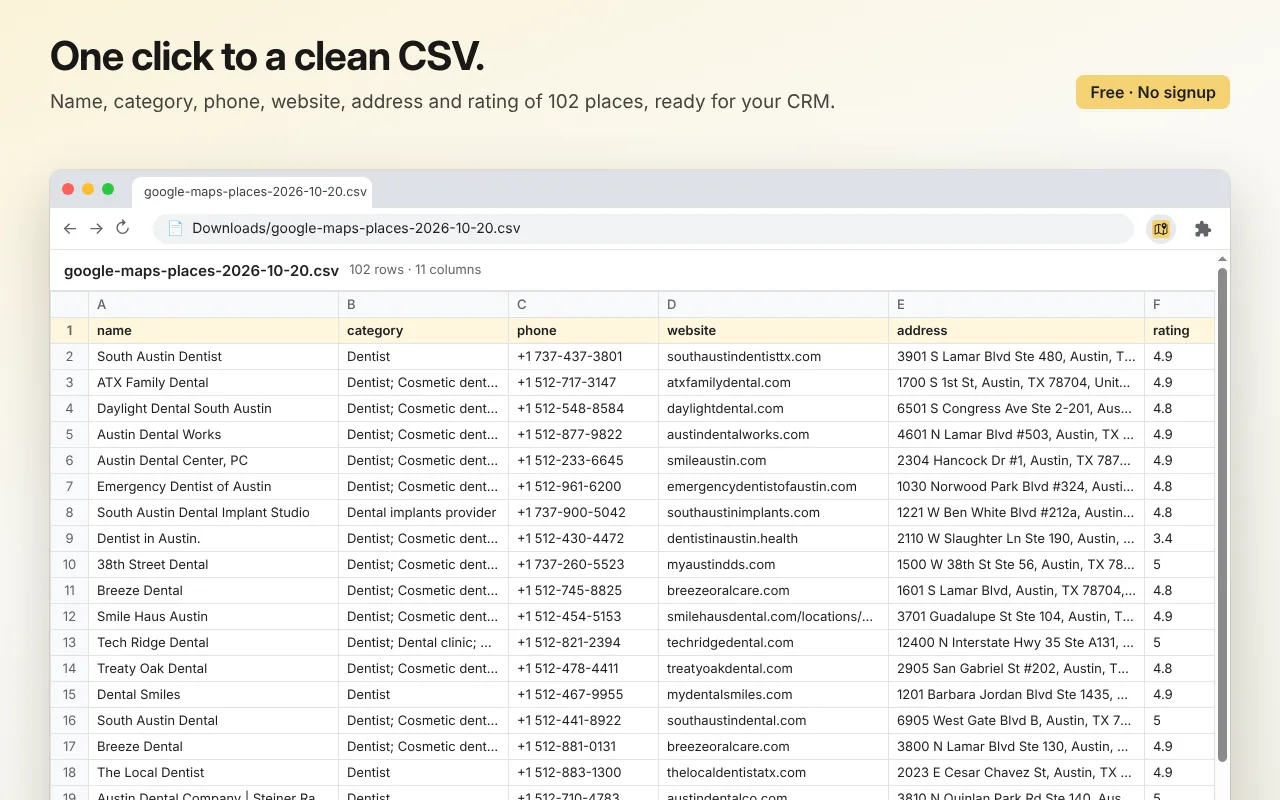
Search Google Maps the way you always do, then click the icon. You get every place in the result list with its phone number, website, address, category and rating, ready to copy or export.
Google Maps Extractor is on its way to the Chrome Web Store. The install button appears here as soon as Google approves it. Until then, Scrupp's Google Maps scraper exports businesses by city and category, with their emails.
How it works
From a Google Maps search to a lead list
-
1
Search Google Maps
For example "plumbers in Denver". Filter and move the map until the list on the left shows the places you want.
-
2
Click the icon
Collect listed takes what is in the list now. Scroll & collect all scrolls the list until Google has no more results, then collects.
-
3
Copy or export
Copy all the phone numbers, or download a CSV that opens in Excel and Google Sheets.
What you get
For each place in the list
- Business name and category
- Phone number, also in international format
- Website, without Google's tracking parameters
- Full address, latitude and longitude
- Rating and the Google Maps link
The extension collects the places that are in the list when you click, in the list's order. So the filters you set on Google Maps (rating, hours, "search this area") decide what you get.
Extension or Scrupp's Google Maps scraper?
| Google Maps Extractor | Scrupp Google Maps scraper | |
|---|---|---|
| Where it runs | Your browser, on your own search | Scrupp, from a city and a category |
| Name, phone, website, address | Yes | Yes |
| No | The business's verified general inbox (info@, sales@…), where its website has one | |
| Price | Free, no account | Credits; 100 free every month |
Private by design
- Everything runs in your browser. What you collect is never sent to us or anyone else.
- No account, no signup, no limits.
- It works only on Google Maps.
The next step
Need emails, not just phones?
Google Maps does not show email addresses. Scrupp's Google Maps scraper visits each business's website and finds its working inbox, such as info@, contact@ or sales@, and verifies it before you download. This is the business's general address, not the owner's personal one.
FAQ
Questions about Google Maps Extractor
What does Google Maps Extractor collect? ▾
For every place in your search results: business name, category, phone number (also in international format), website, full address, latitude and longitude, rating and the Google Maps link.
Does it find email addresses? ▾
No. Google Maps does not show emails, and the extension only collects what Maps has. To get emails, Scrupp's Google Maps scraper finds a verified general inbox for each business website, such as info@ or sales@. It does not find the owner's personal address.
Is it free? ▾
Yes. No account, no signup and no limit on how many searches you collect. Everything runs in your browser.
How many places can I collect from one search? ▾
As many as Google Maps shows for that search. "Scroll & collect all" keeps scrolling the list until Google stops adding results. For a whole city, run several searches, for example by neighbourhood or by moving the map.
Is what I collect sent anywhere? ▾
No. The extension reads the results Google Maps has already loaded in your tab, and the list stays in your browser until you copy or export it. It works only on Google Maps.
Some places have no phone or website. Why? ▾
Either the business has not listed one on Google, or the place was already on screen before the extension was installed or turned on. Reload the Google Maps tab and collect again.
Free extensions
More free Chrome extensions by Scrupp
Emails, phones and social profiles from any website and its contact pages.
The company behind any website: size, industry, email format and the people there.
Check whether an address exists before you send: type it, select it or right-click it.
Coming soon to the Chrome Web Store
Need emails, not just phones?
100 free credits every month · no credit card