Free Chrome extension
Email Verifier: check an address before you send
Find out whether an email address exists without sending anything. Type it into the popup, select it on any page, or right-click it, and see whether mail to it will arrive or bounce.
Email Verifier is in its first Chrome Web Store review. The install button appears here as soon as Google approves it. Until then, the free email verifier on this site checks an address in any browser.
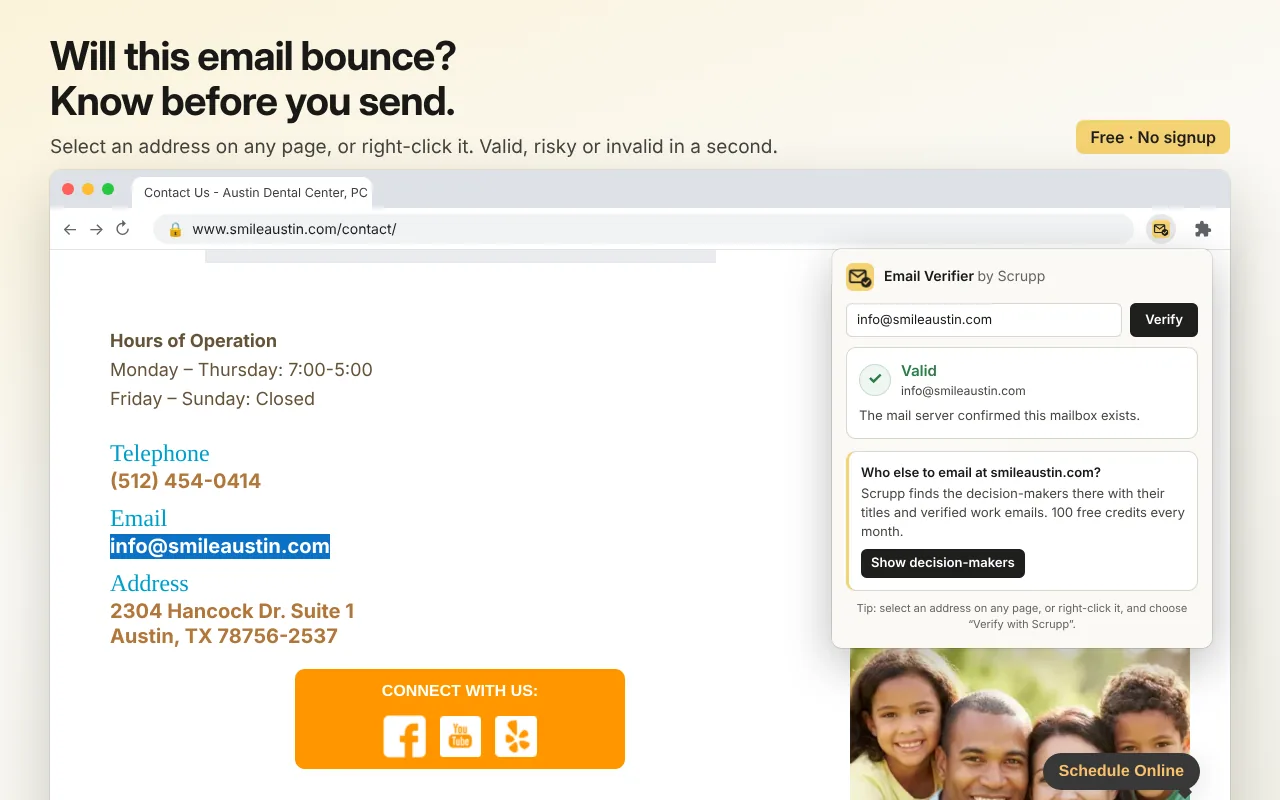
How it works
Three ways to check an address
-
1
Find an address
Type or paste it into the popup, or select it on any page before you click the icon.
-
2
Or right-click it
Right-click a selected address or a mailto link and choose Verify with Scrupp.
-
3
Read the verdict
Valid, Invalid, Accept-all, Disposable, Risky or Unknown, with what it means for sending.
Verdicts
What each answer means
| Verdict | Meaning | Send to it? |
|---|---|---|
| Valid | The mail server confirmed the mailbox exists. | Yes |
| Invalid | The mailbox does not exist. | No, it will bounce |
| Accept-all | The domain takes mail for any address, so this one cannot be confirmed. | At your own risk |
| Disposable | A throwaway inbox that will stop receiving mail soon. | No |
| Risky | The address exists but is unlikely to reach a person. | With care |
| Unknown | The mail server gave no clear answer. | Try again later |
Why accept-all domains cannot be confirmed, and how common they are: catch-all email statistics.
Private by design
- It sends Scrupp only the one address you ask it to check.
- It reads your selection only when you click the icon or the right-click menu. It cannot read pages in the background.
- No account needed.
The next step
Need the right person, not just a valid address?
Scrupp finds the decision-makers at any company with work emails that are checked before you download them, and exports them to CSV or your CRM.
FAQ
Questions about Email Verifier
How does it check an email? ▾
It asks the mail server of the address's domain whether the mailbox exists, without sending an email. It also recognises throwaway inboxes and domains that accept mail for any address.
What do the verdicts mean? ▾
Valid: the mail server confirmed the mailbox. Invalid: the mailbox does not exist, and mail to it will bounce. Accept-all: the domain takes mail for any address, so the mailbox cannot be confirmed. Disposable: a throwaway inbox. Risky: the address exists but is unlikely to reach a person. Unknown: the server gave no clear answer.
Why do I get "Unknown"? ▾
Some mail servers, including several large providers, do not answer mailbox checks, and some answer slowly. When there is no clear answer, the extension says so rather than guessing. Try again later.
How many checks can I run? ▾
Twenty a day, free and without an account. Scrupp itself verifies emails without a daily cap.
What does the extension send to Scrupp? ▾
Only the one address you ask it to check. It does not read pages in the background; it reads your selection only when you click the icon or use the right-click menu.
Is there a version without Chrome? ▾
Yes, the free email verifier on this site works in any browser.
Free extensions
More free Chrome extensions by Scrupp
Emails, phones and social profiles from any website and its contact pages.
The company behind any website: size, industry, email format and the people there.
Every business in a Google Maps search with phone, website and address, as a CSV.
Coming soon to the Chrome Web Store
Need the right person, not just a valid address?
100 free credits every month · no credit card