Free Chrome extension
Email Extractor: find every email on a website
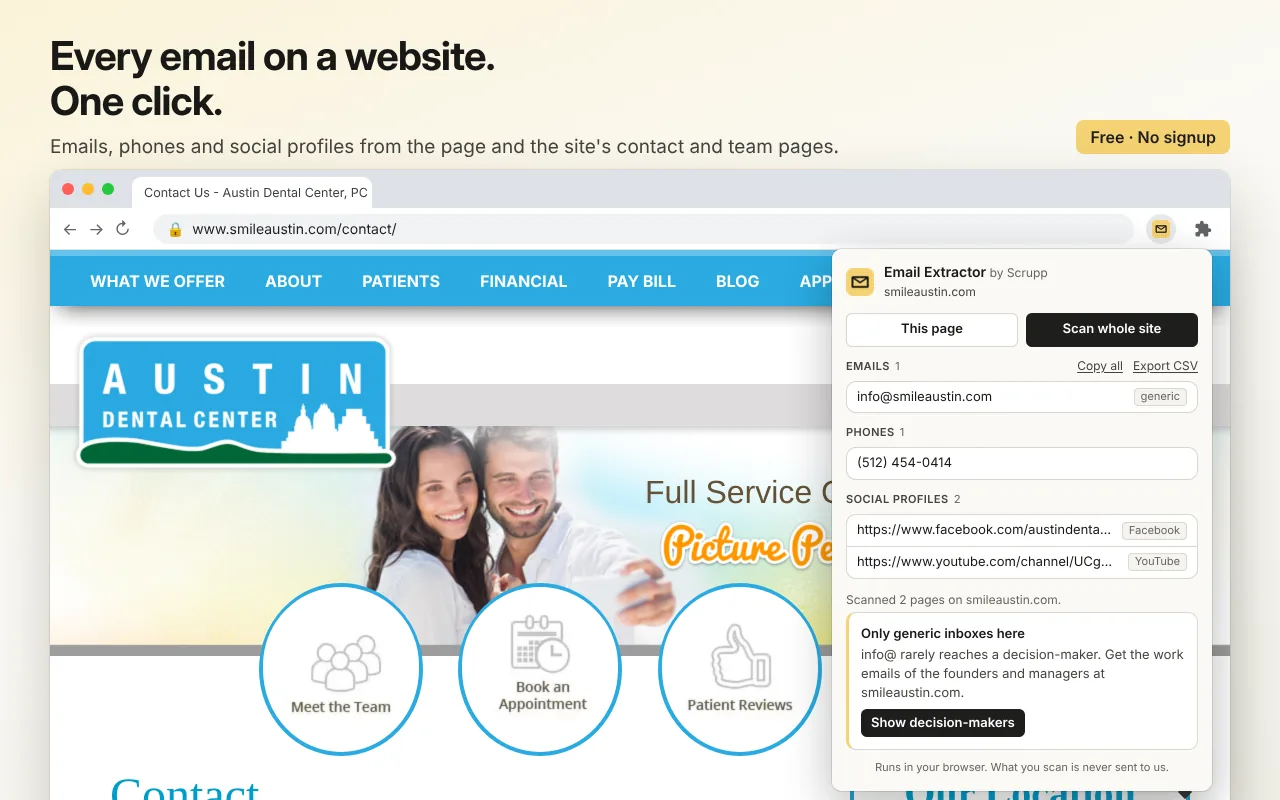
Click the icon on any website and get its email addresses, phone numbers and social profiles, from the page you are on or from the whole site's contact, about and team pages. Copy them or export a CSV.
How it works
From a website to a contact list in one click
-
1
Open any website
A company homepage, a contact page, a directory listing. Any site works.
-
2
Click the icon
This page scans what is open. Scan whole site also opens the site's contact, about, team and imprint pages.
-
3
Copy or export
Copy one result, copy all emails at once, or download everything as a CSV.
What it finds
Emails, phones and social profiles
- Emails from the page text, mailto links, "name [at] company [dot] com" style addresses and Cloudflare-protected addresses.
- Phone numbers from click-to-call links and international numbers in the text.
- Social profiles: the company's pages on the major social networks.
- Personal or generic: each email is marked as a person's address or a shared inbox such as info@ or sales@.
Private by design
- Everything runs in your browser. What you scan is never sent to us or anyone else.
- No account, no signup, no limits.
- It works only when you click the icon, on the tab you click it on. It cannot read pages in the background.
The next step
Only found info@? Get the people behind it
A generic inbox rarely reaches the person who decides. Scrupp finds the founders and managers at the company with their work emails and phone numbers, and exports them to CSV or your CRM.
FAQ
Questions about Email Extractor
Is Email Extractor free? ▾
Yes. There is no account, no signup and no daily limit. The extension runs entirely in your browser.
Is what I scan sent anywhere? ▾
No. The page is read in your browser, and the results stay there. The extension asks only for access to the tab you click it on, so Chrome shows no "read and change all your data on all websites" warning at install, and it cannot read pages in the background.
What does "Scan whole site" do? ▾
Besides the page you are on, it opens the site's contact, about, team and imprint pages, if it has them, and collects from those too. That is where most companies put their addresses.
Does it find hidden or obfuscated emails? ▾
It finds addresses in the page text, in mailto links, in the "name [at] company [dot] com" style, and addresses hidden by Cloudflare's email protection. An address that exists only as an image, or behind a contact form, cannot be read.
What is the difference between a personal and a generic email? ▾
A personal address belongs to one person, like jane.smith@company.com. A generic one is a shared inbox, like info@, sales@ or support@. The extension marks each, so you can see at a glance whether you have reached a person.
Does it work on LinkedIn? ▾
No, and it does not try to. For LinkedIn, Sales Navigator and Apollo, use the Scrupp Chrome extension, which finds work emails and phones for the people in a search.
Free extensions
More free Chrome extensions by Scrupp
The company behind any website: size, industry, email format and the people there.
Check whether an address exists before you send: type it, select it or right-click it.
Coming soon to the Chrome Web Store
Every business in a Google Maps search with phone, website and address, as a CSV.
Coming soon to the Chrome Web Store
Add Email Extractor to Chrome
Free · No signup · No limits · Runs in your browser