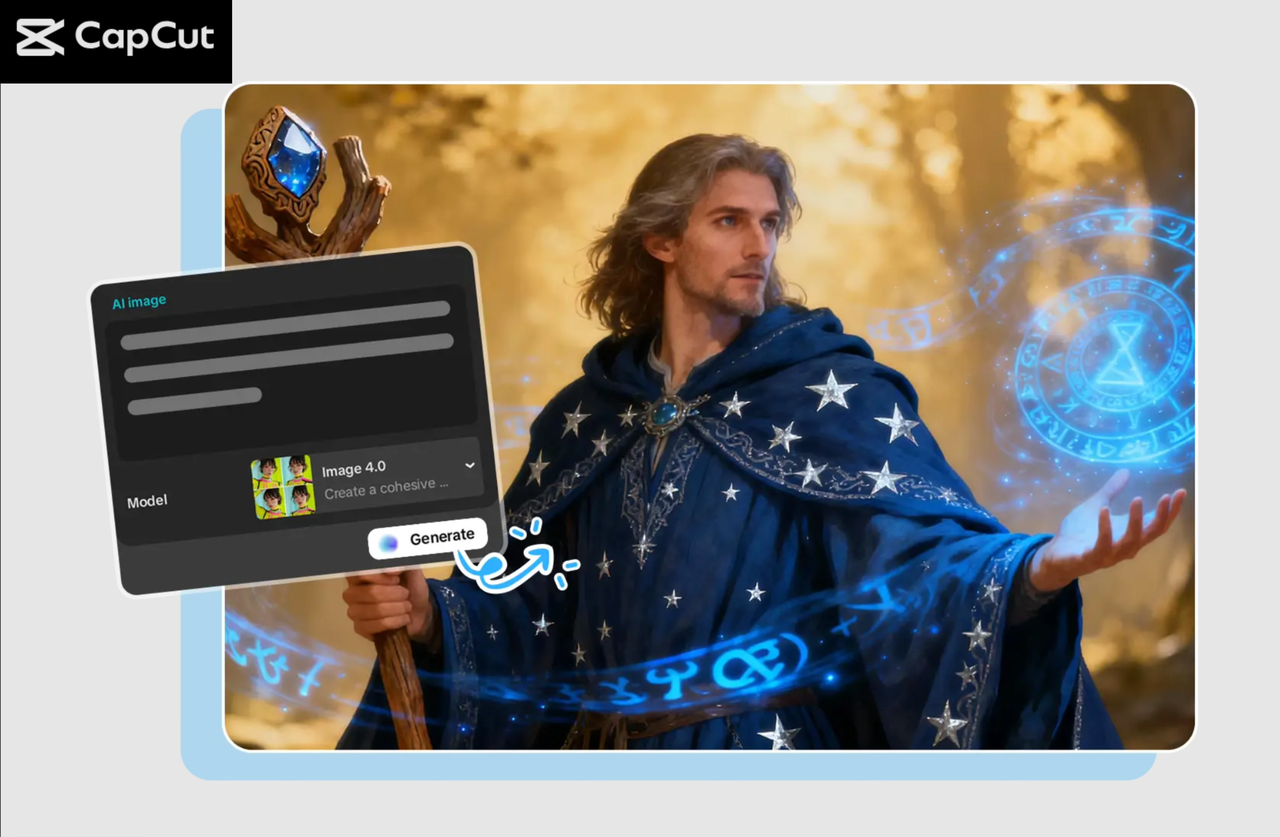
Impressive product photos are essential for attracting customer attention and driving sales. Given that most customers buy products and services on the basis of images, bad images may lead to the loss of sales. The use of a professional-quality product image might be an expensive and time-intensive process for small businesses or individual sellers. The AI image generator of CapCut is a solution that can be utilised by sellers who want to create high-quality product images using an image generator based on a simple text prompt at a relatively low cost. The tool enables companies to develop a variety of product images and save time and money, as well as improve product lists and customer contact.
How AI Image Generator Transforms E-Commerce Visuals
The images of products in e-commerce are significant, and in many cases, they are the first point of contact between the brands and the potential customer. Previously, high-quality imagery of products was made by expensive photographic equipment and professional editors, and it was challenging to compete with large organisations among small businesses. The AI Image Generator CapCut is a novel tool that changes the way this process works, as it lets sellers create images of products of professional quality without the need to understand how to do it by entering text descriptions. This allows sellers to create numerous variations of their products, display them in various settings, or simulate promotional images, without having to hire professional photographers to do so.
Having the capability to create high-quality images quickly and in large quantities, the AI Image Generator assists the sellers to enhance their product listings, increase clicks, and, eventually, raise the conversion rates. Regardless of whether a seller possesses a limited number of products or a huge inventory, AI Image Generator of CapCut offers a simple solution to producing the images that suit the demands of the modern e-business.
Enhance the quality of the listing of products.
Quality images may have a great influence on the perception of the potential buyer of a product. By use of AI-generated pictures, sellers can make their products as good as they can be, which results in increased engagement, greater click-through rates, and conversion rates. Detailed, explicit, and professional product images make listings stand out in a saturated market and form a good first impression, which leads to the customer clicking on the listing to get more information. Displaying products in various positions or in different environments can assist the sellers to provide a more detailed shot of the product and enhance the shopping experience of the customers.
Scale Visual Content Efficiently
Companies that have extensive product lines may find it daunting and taxing to have to create a series of product images per product manually. The AI Image Generator tool, offered by CapCut, makes this process less complicated since sellers are able to create numerous variations of each product in a short period of time and with efficiency. Sellers do not need to take hours to do photography or hire designers to do the job because all one needs to do is to put in a text description, and then the system automatically generates a set of product pictures in a variety of styles, backgrounds, and angles. This scaling enables companies to meet the needs of increased inventory without compromising quality.
Step-by-Step: How to Use CapCut’s AI Image Generator Tool
Step 1: Open CapCut Desktop
First, one should download and install CapCut on the desktop and log in to the account. After logging in, you will see the option of creating a project, and by doing so, you are entering the project workspace. This will enable you to initiate a new project on which you can commence creation of your product images.
434.PNG)
Step 2: Create an AI Image
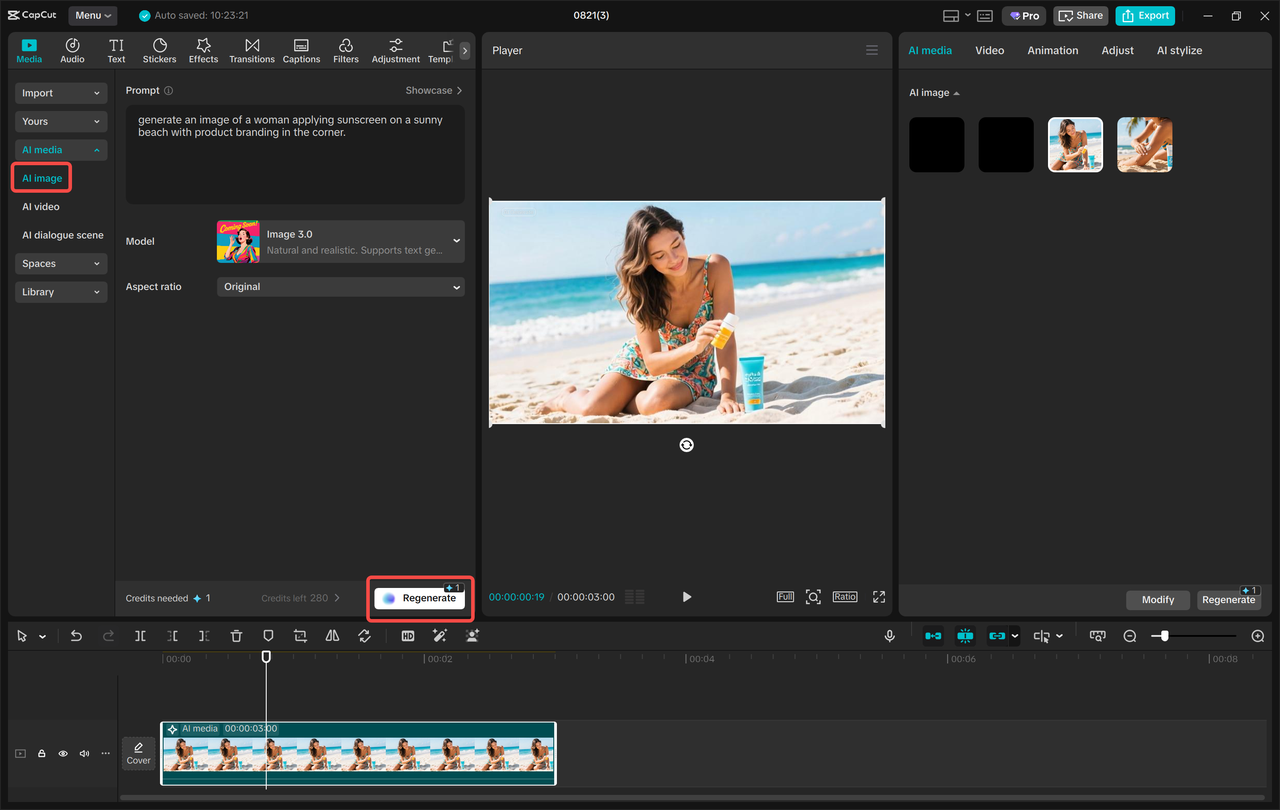
Click on the Media button of the desktop interface of CapCut and choose the AI Media. It will raise a text box in which you can explain what product image you desire to develop. Just input a clear description of what you want as the product and the way you want it to look in the created image. The next thing that you will be requested is an image generation model based on AI. CapCut has different models like Nano Banana Pro, Seedream 4.0, Seedream 3.0, Seedream 3.1, Flux 1.1 Pro, and each has a different style of visuals.
In case you wish for generated images to closely match a particular appearance, then you can upload reference images by hitting the button named References. This will enable the AI to act as a guiding tool using your existing image of the product so that the generated images will be similar to the actual appearance of the product. Once you have typed in your text description and chosen a model, pick the aspect ratio of the image (16:9 is ideal to use on online listings), and then press the Regenerate button. The AI will produce 3-4 image variants depending on what you require, and leave it to you to choose the image that suits you best.
Step 3: export and share
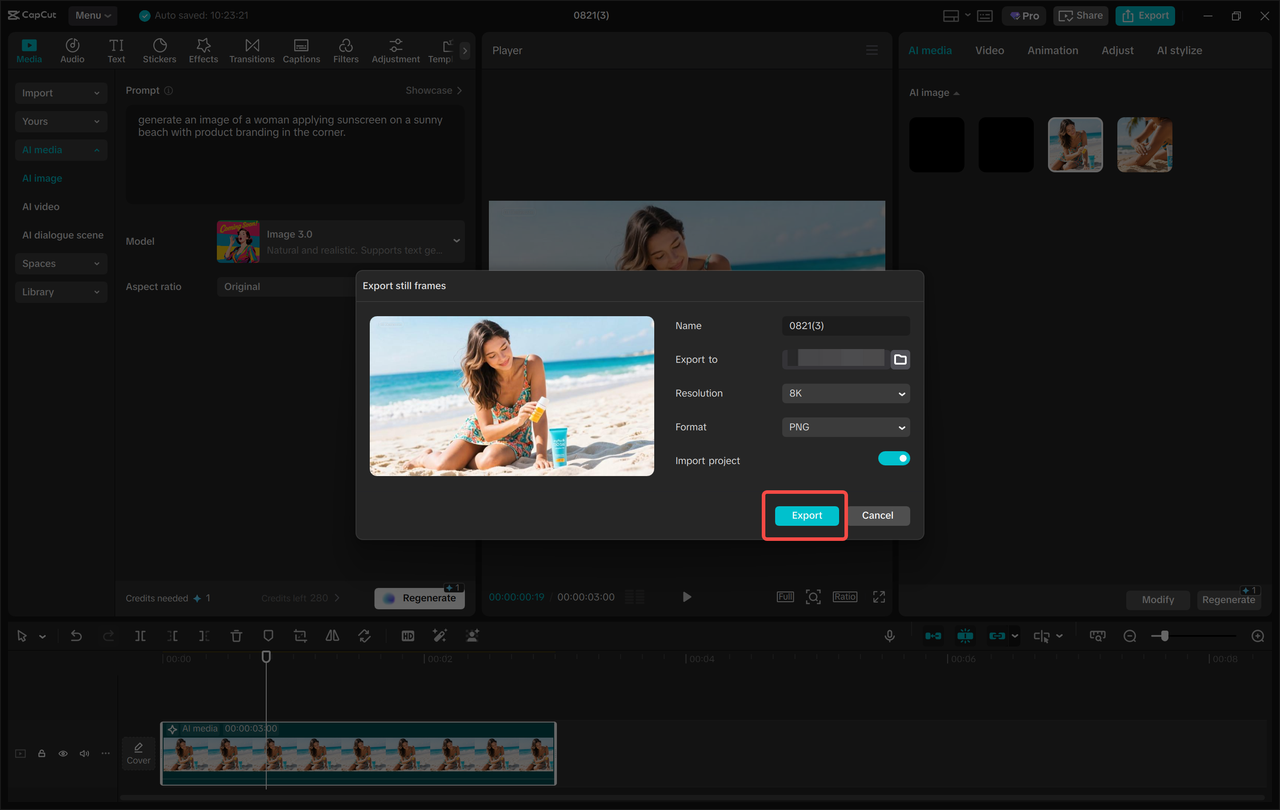
Once you have done your image, you have to export it. Select the three horizontal lines over the preview panel, and in doing so, the export options will be opened. You can choose to save the image by doing the following: Select Export still frames. You will then be asked to name the project and the resolution of your image. CapCut offers not only the choice of 4K, but also 8K resolutions and the best quality of your product images. After choosing the resolution you would like, you simply have to click on the export button in order to save the image on your computer. Your e-commerce listing, social media campaigns, or advertisements are now equipped with the created product image.
Key Features for E-Commerce Sellers
Text-to-Image Generation: The AI Image Generator of CapCut enables the conversion of text prompts into realistic product images, and sellers can now rapidly generate high-quality images of products to be listed on their pages, advertisements, and more.
Style Choice: Select between many styles of images, such as realistic, 3D, minimalist, or artistic, which enables companies to design pictures in a manner that fits the individual requirements of each platform and style of branding.
High-Resolution Images: The images can be created under 4K or 8K, which guarantees that the photographs are of good quality and can be used on e-commerce sites, social media ads, and print news.
Quick Generation Time: In a few seconds, the AI logo generator can generate several product logos, and, at that, much faster, it will generate content which is much quicker and enables a business to alter its visual marketing approach fast.
Reference Image Support: Add existing product photo to instruct the AI to make more realistic visuals. This will be to ensure that the images produced will look exactly as the real product does and that they remain consistent throughout your portfolio.
Conclusion
High-quality product images are essential for online retailers hoping to sell products through the Internet by attracting new customers into their stores with high-quality product images. The AI Image Generator from CapCut is an efficient and affordable tool that gives online sellers access to a wide variety of stock product images in a short period of time. Since AI Image Generators are built to work using advanced artificial intelligence technology, merchants can generate thousands of different types of stock product images with little to no training in photography or graphic design; this makes the tool very valuable for those who want to develop their online presence, improve the overall consistency of their brands, and increase conversion rates. Whether a business has a limited number of products or a large inventory of products, using CapCut’s AI Image Generator can increase productivity and efficiency when generating product-related visual content. This tool enables sellers to focus more time on growing their businesses.